
Time blocking on iPhone
Hourly planner for iPhone
TimeFinder puts your tasks and appointments on one daily schedule. Drag tasks into time slots, then move your time blocks when plans change.
Get TimeFinder on the App StoreResize a time block
The meeting runs 30 minutes over
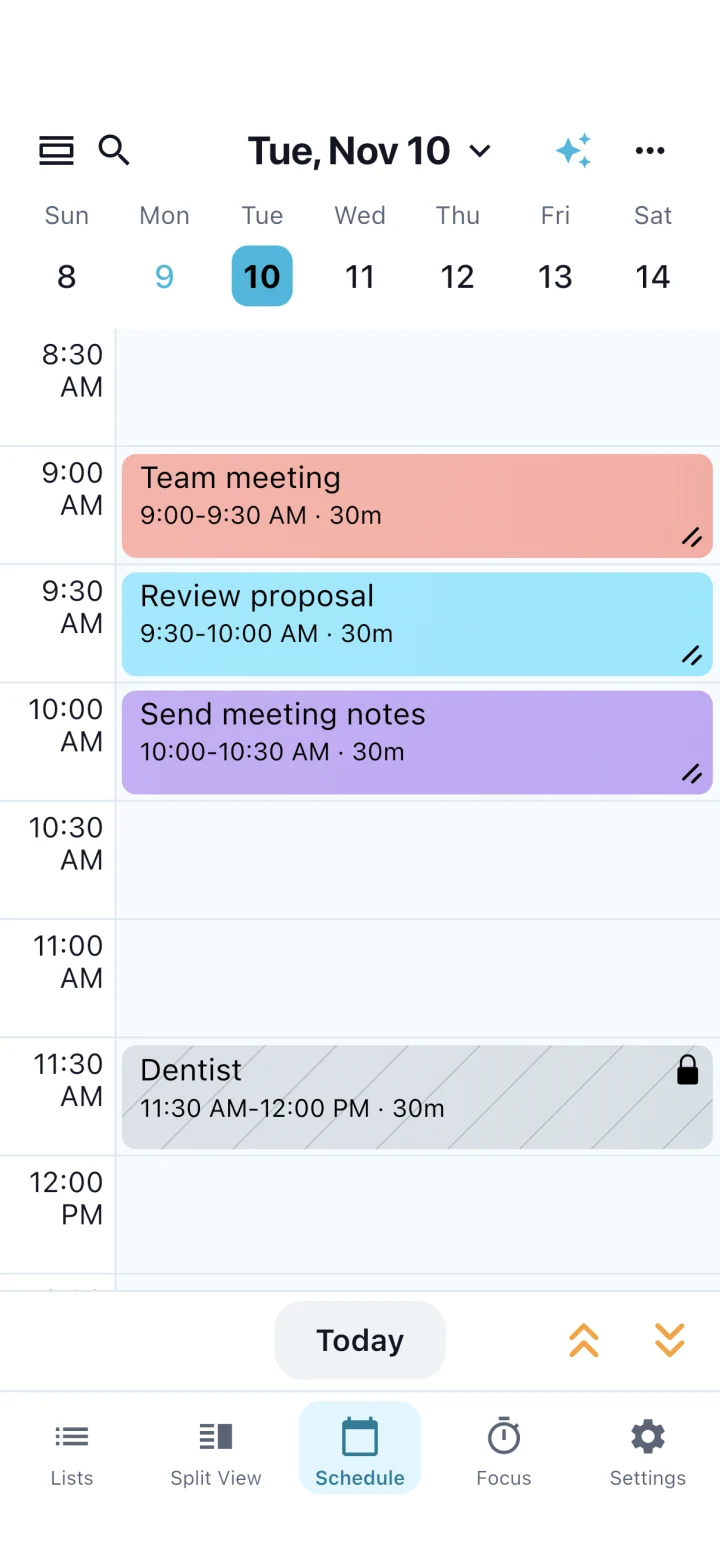
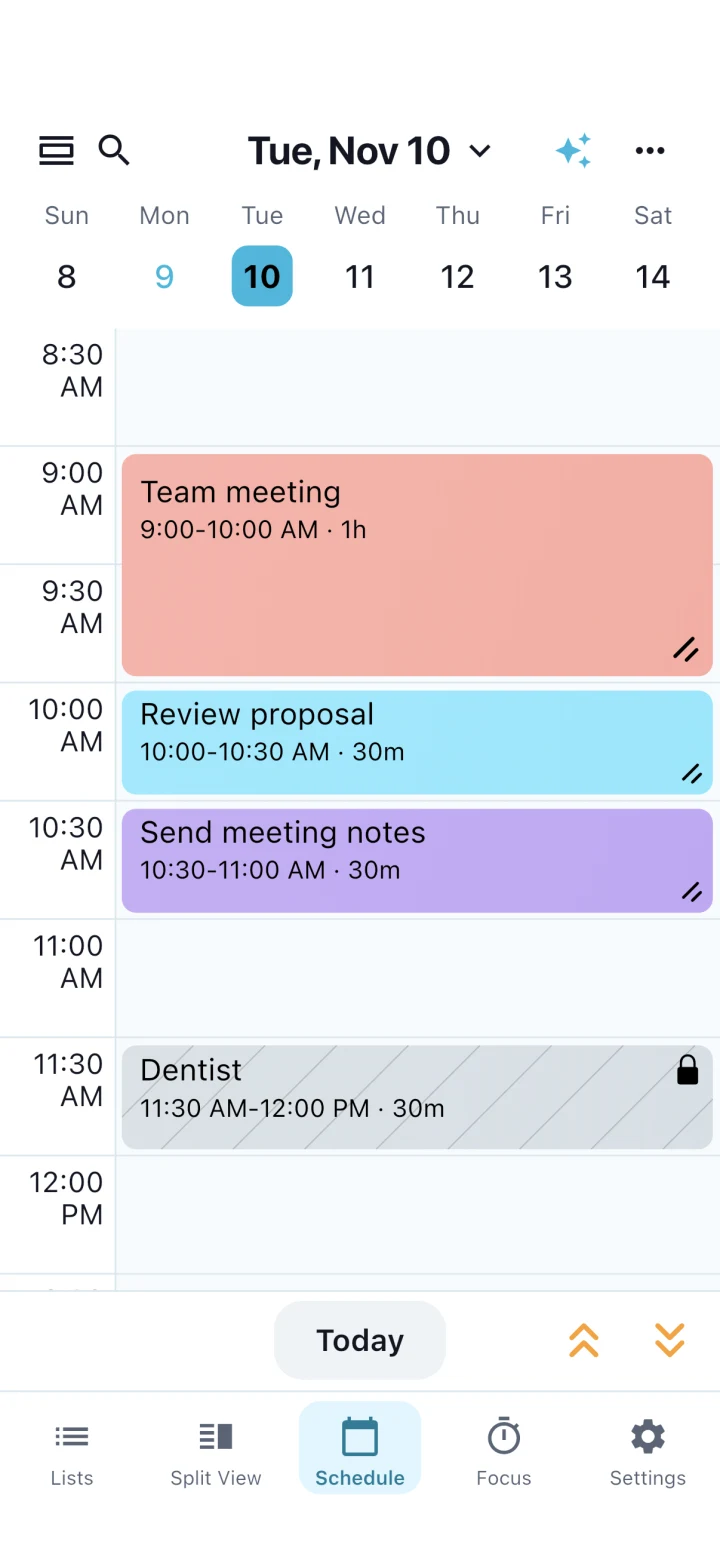
Your 9 a.m. meeting was booked for half an hour. It runs until 10. You still need to review a proposal and send your notes before the dentist at 11:30.
Drag the resize handle at the bottom right of the meeting block down to 10:00. The meeting stays at 9:00 and gets 30 minutes longer, pushing the proposal review to 10:00 and the notes to 10:30. The locked dentist appointment stays at 11:30.
View before and after
Plan the day from your to-do list
Open Split View to see your list beside the schedule. Drag a task into a time slot and resize its block to give it as much time as you need. Keep appointments you need to work around on the same timeline.
How much does TimeFinder cost on iPhone?
TimeFinder is ad-free and free to download. New iPhone users see a paid offer before they can start planning. Eligible users can start a trial. The app shows the price and renewal terms before you confirm.
Get TimeFinder on the App Store