Workdays
Give focused work a place between calls and appointments. Keep your task list beside the schedule while you choose what comes next.
Daily schedule planner app
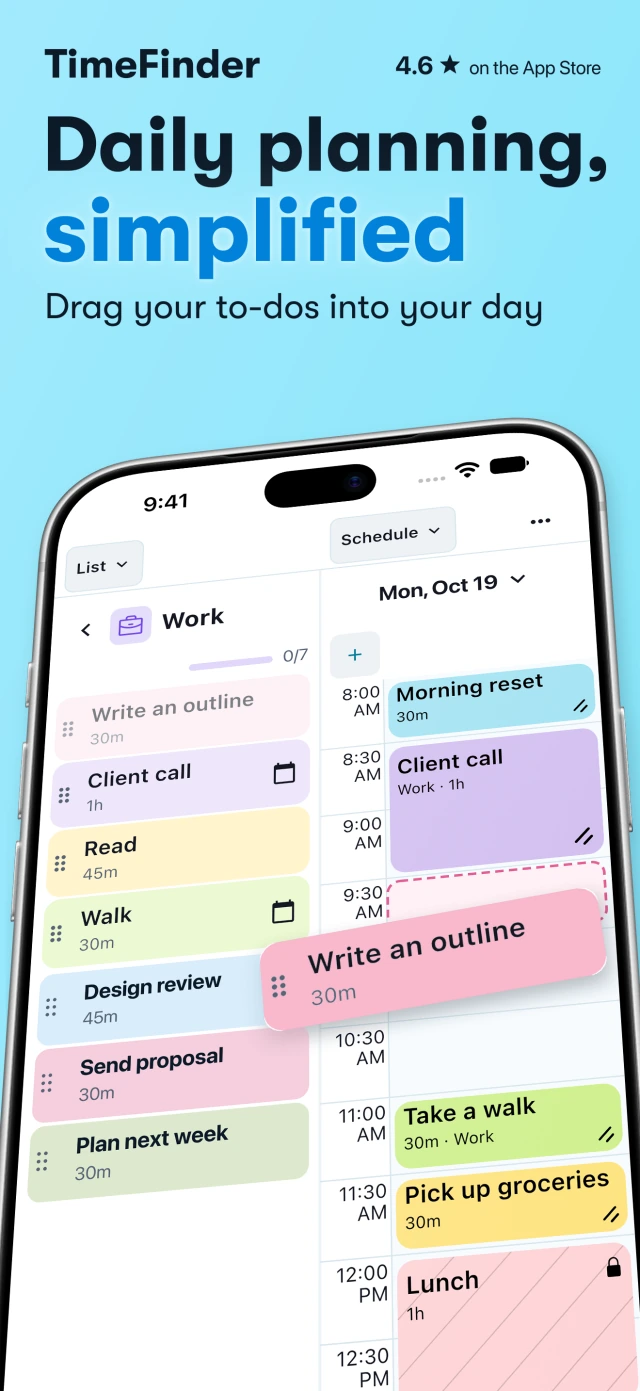
Your day holds work to finish, people to see and time for yourself. TimeFinder turns your to-do list into a daily schedule, so you can give each part of your day a place.
Drag tasks into time blocks, make room for breaks, and move things around when life happens.
500,000+ downloads · Independently made since 2018
From a list to a day
A task list holds everything you want to do. A daily schedule planner helps you decide when to do it. In TimeFinder, time blocking means giving a task a start time and enough space in the day to work on it.
Capture tasks in a list. Keep work, errands or study tasks together, then choose what you want to tackle today.
Open Split View and drag a task from the list into your schedule. Resize its time block to allow the time you need. Leave space for lunch, a walk and the things that make the day yours.
Look at the day as a whole. If the work will not fit around your appointments and breaks, move a block or choose another day for it. Start Focus Mode when you are ready to work through one task.
When the day changes
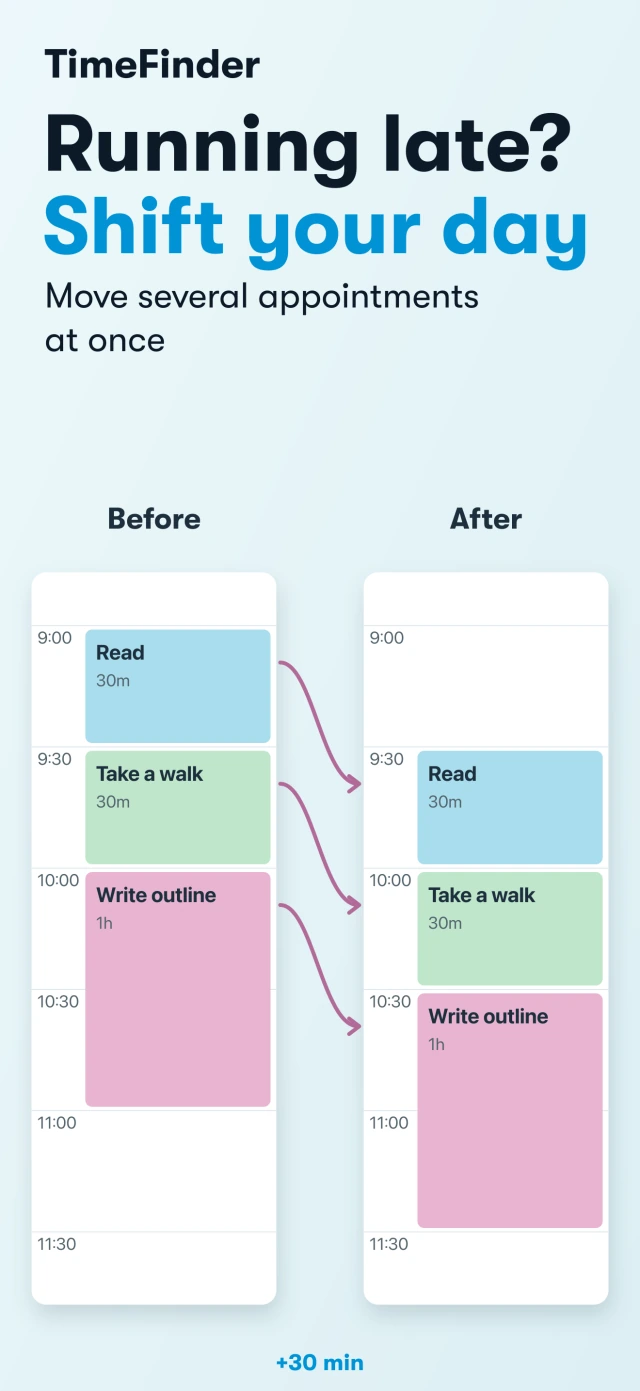
You lose track of time, or your morning starts later than planned. Use Shift Appointments Later at the bottom of the day schedule to move unlocked blocks together. Each block keeps its length, and locked appointments stay put.
Extend that meeting with the resize handle instead. Review the tasks pushed later and keep fixed appointments locked. The hourly planner demonstration shows a meeting extended to 10:00, two tasks moving later, and a locked dentist appointment staying at 11:30.
Watch the meeting-resize example →Give focused work a place between calls and appointments. Keep your task list beside the schedule while you choose what comes next.
Set aside time for reading, practice questions and breaks. Resize the block when an assignment needs more time, then review what still fits.
Save a useful day as a schedule template and apply it to another day. Templates require Premium and are applied by you; they do not repeat automatically.
Connect Apple Reminders, Todoist or TickTick to bring supported tasks into TimeFinder. Each guide explains setup, supported platforms and sync behavior.
TimeFinder is ad-free and free to download. New iPhone users need paid access to start planning. Eligible users can begin with a trial; the app shows the price and terms before you confirm.
Get TimeFinder on the App StoreAlso available on iPad, Mac, Android, Windows and the web. Choose your device. Features and access terms vary by platform.
Updated November 11, 2026